 CarMood
Speedometer
Big numbers in mph or km/h.
CarMood › No CarPlay
Drive Mode · iPhoneCarPlay only works in a car or head unit that supports it. If yours doesn't, CarMood's Drive Mode puts the essentials on your iPhone instead: a big speedometer, a map with turn-by-turn directions, Apple Music and favorite calls, in landscape, on a mount.
Drive Mode is part of CarMood Pro, with a free preview. It isn't CarPlay, and CarMood doesn't add CarPlay to a car. iOS 26 or later.
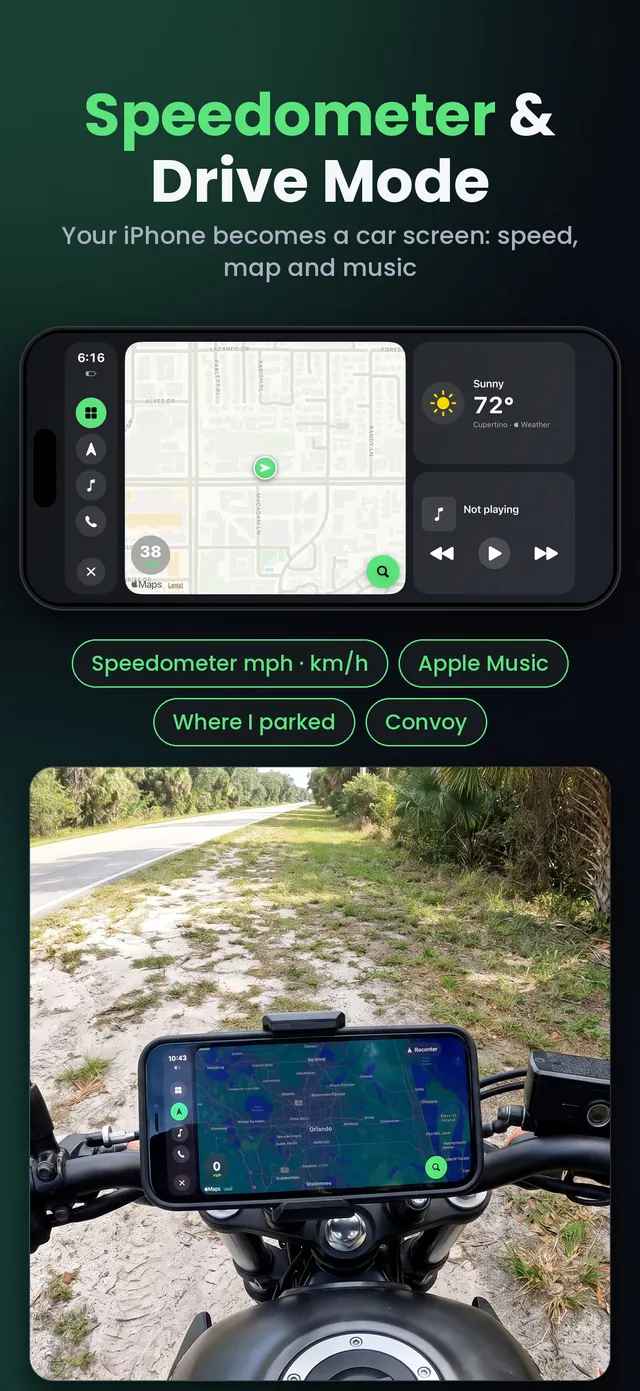
Big numbers in mph or km/h.
Turn-by-turn navigation with voice guidance.
What's playing, recent music, your playlists and search.
Your favorite contacts on the same screen.
Find your car again on the map.
Distance, time and places in your logbook.
No. CarPlay shows apps on the car's display and needs a car or an aftermarket head unit that supports it. There's no CarPlay app to open on the iPhone itself. What you can do is mount your iPhone and use an app made for driving, like CarMood's Drive Mode.
You add hardware: replace the radio with an aftermarket head unit that has CarPlay, or mount a separate screen with CarPlay on the dashboard. If your car already has wired CarPlay, a wireless adapter removes the cable.
If you'd rather not buy anything, mount your iPhone and use Drive Mode.
iOS has a Driving Focus that silences notifications while you drive, but it doesn't turn the iPhone into a car screen. Drive Mode in CarMood does: one landscape screen with the essentials.
Everything on one screen:
An iPhone on iOS 26 or later, a phone mount and CarMood. Set the route and the music before you drive: music search works only when you've stopped, and you can always ask Siri. Drive Mode works on a motorcycle mount too; follow the local rules for phone mounts.
If you want CarPlay itself, you need a car or a head unit with CarPlay. Once you have it, CarMood adds widgets, themes and your own startup sound to the CarPlay screen. Until then, Drive Mode gives you the essentials on your iPhone.
Where you can see it at a glance and where the law allows it.
In CarMood. Pick your route and your music.
Keep your eyes on the road: voice guidance tells you where to turn.
No. Drive Mode is a screen inside the CarMood app on your iPhone. It doesn't use your car's display, and it doesn't add CarPlay to your car.
Yes. With Auto-record trips on, CarMood starts a trip when you drive away from where you parked and stops it when you park.
Any iPhone with iOS 26 or later: iPhone 11 and newer.
Drive Mode and navigation are part of CarMood Pro. You can try a free preview first, and the speedometer is free.