 CarMood
Big numbers
Your speed in mph or km/h, easy to read at a glance.
CarMood › Speedometer
Speedometer · iPhoneCarMood shows your speed in big, clear numbers, in mph or km/h, from your iPhone's GPS. Drive Mode puts the speed, the map and your music on one landscape screen, and every trip goes into your logbook.
The speedometer is free. Drive Mode and navigation are part of CarMood Pro. Set it up while parked. iOS 26 or later.
Your speed in mph or km/h, easy to read at a glance.
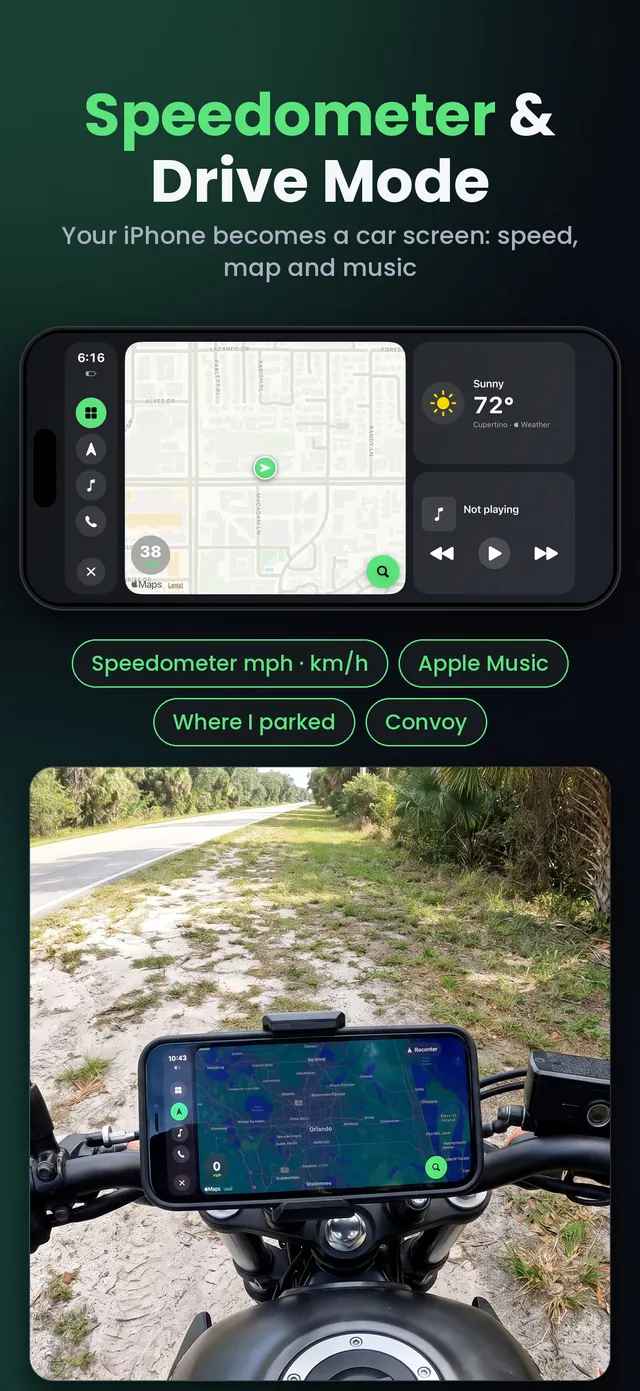
A landscape screen with the speedometer, a map with turn-by-turn navigation, Apple Music and favorite calls (CarMood Pro).
Every drive is saved with its distance, time and average speed.
CarMood remembers where you left the car and shows it on a map.
CarMood widgets for the CarPlay screen can show the clock, weather, speed and trip stats.
On a road trip, see your friends on the map.
No, iPhone doesn't come with a speedometer app. CarMood adds one: it reads your speed from the iPhone's GPS and shows it in big numbers on the Drive tab, or next to the map in Drive Mode.
On an open road it's close to your real speed, and it can differ a little from your car's own speedometer. In tunnels and between tall buildings the GPS signal can drop for a moment, so the reading can lag until the signal is back.
Drive Mode turns your iPhone into a car screen in landscape: the speedometer, a map with turn-by-turn navigation and voice guidance, Apple Music and favorite calls. Pick the route and the music before you drive. Music search works only when you've stopped, and you can ask Siri.
Drive Mode is part of CarMood Pro, and you can try a free preview first.
Yes. The speedometer and Drive Mode run on your iPhone, so they work on a motorcycle mount and in cars without CarPlay. More on using your iPhone as a car screen.
Put your iPhone in a mount where that's allowed, set everything up while parked and keep your eyes on the road. Don't touch the phone while driving, and follow your local laws.
On an iPhone with iOS 26 or later. Allow location access so CarMood can show your speed.
In CarMood's settings.
Open the Drive tab or Drive Mode before you set off.
Yes. Drive Mode and navigation are part of CarMood Pro, with a free preview of Drive Mode.
Both. Pick one in CarMood's settings.
Yes. With Auto-record trips on, every drive is saved with its distance, time and average speed. More about the mileage tracker.
No. It works on your iPhone in any mount. With CarPlay, CarMood widgets can also show speed and trip stats on the car's screen.